
Organize Your Family Life, Your Way
Private, secure, and beautiful notebook spaces for every family need.
Workspaces & Access
Create dedicated notebooks for the Kitchen, Schooling, or Finances. Invite family members via email with ease.
Roles: Owners manage members, Organizers structure notes, and Viewers keep up to date.
Folders & Notes
Structure your data exactly like OneNote. Use categories, nested folders, and infinite tabs for ultimate organization.
Templates & Power
Create reusable layouts. Copy or move notes between folders instantly. From grocery lists to chore charts, get it done faster.
1. Private & Shared Workspaces
-
The Concept: Every family has different needs. Whether it's a "Kids' Homework" space or a "Household Budget" space, you create the boundaries.
-
User Invitation: Administrators can invite family members using their WordPress email. If they have an account, they are instantly added. If not, they receive an invitation to join.
-
Role Logic: * Owner: Has full control over the workspace and user membership.
-
Organizer: Can edit notes, add folders, and create new pages.
-
User: Can contribute notes and edit existing entries.
-
Viewer: Perfect for kids or extended family who need to see the schedule but shouldn't alter it.
-
2. The Note Structure (OneNote-Inspired)
-
Folders: The top-level containers for your information.
-
Tabs: Use tabs for sub-categorization within a folder (e.g., "Monday," "Tuesday," "Wednesday" tabs within a "Weekly Chores" folder).
-
Blocks: The content engine. Choose between Rich Text for long-form, Checklists for dynamic tracking, and Chore Charts for visual task management.
3. Power-User Features
-
Templates: Create a layout you love (like a weekly meal plan) and save it as a template. Import it into any new note with one click.
-
Copy/Move: Drag-and-drop capability allows you to move notes from an "Inbox" folder to an "Archive" folder, or copy a template into a new location without losing formatting.
Integration Guide for Divi
To make this implementation "Divi-friendly," you have two primary options:
1. The Shortcode Approach (Recommended): By wrapping your React App in a WordPress shortcode ({family_notebook_app}), you can simply drag a Divi Code Module onto any page and paste the shortcode. Your application interface will render exactly within that Divi section.
2. The "Blank Page" Template: If you want the notebook to feel like a true standalone app, create a custom PHP template in your child theme folder (e.g., page-notebook.php) that removes the Divi Header and Footer via get_header('blank') and get_footer('blank'). This gives your user a full-screen, distraction-free environment.
Core Architecture & Mobile Experience
The Family Notebook is a robust, decoupled React Single Page Application (SPA) that transforms a WordPress site into a private, secure organization hub designed for families and small groups
-
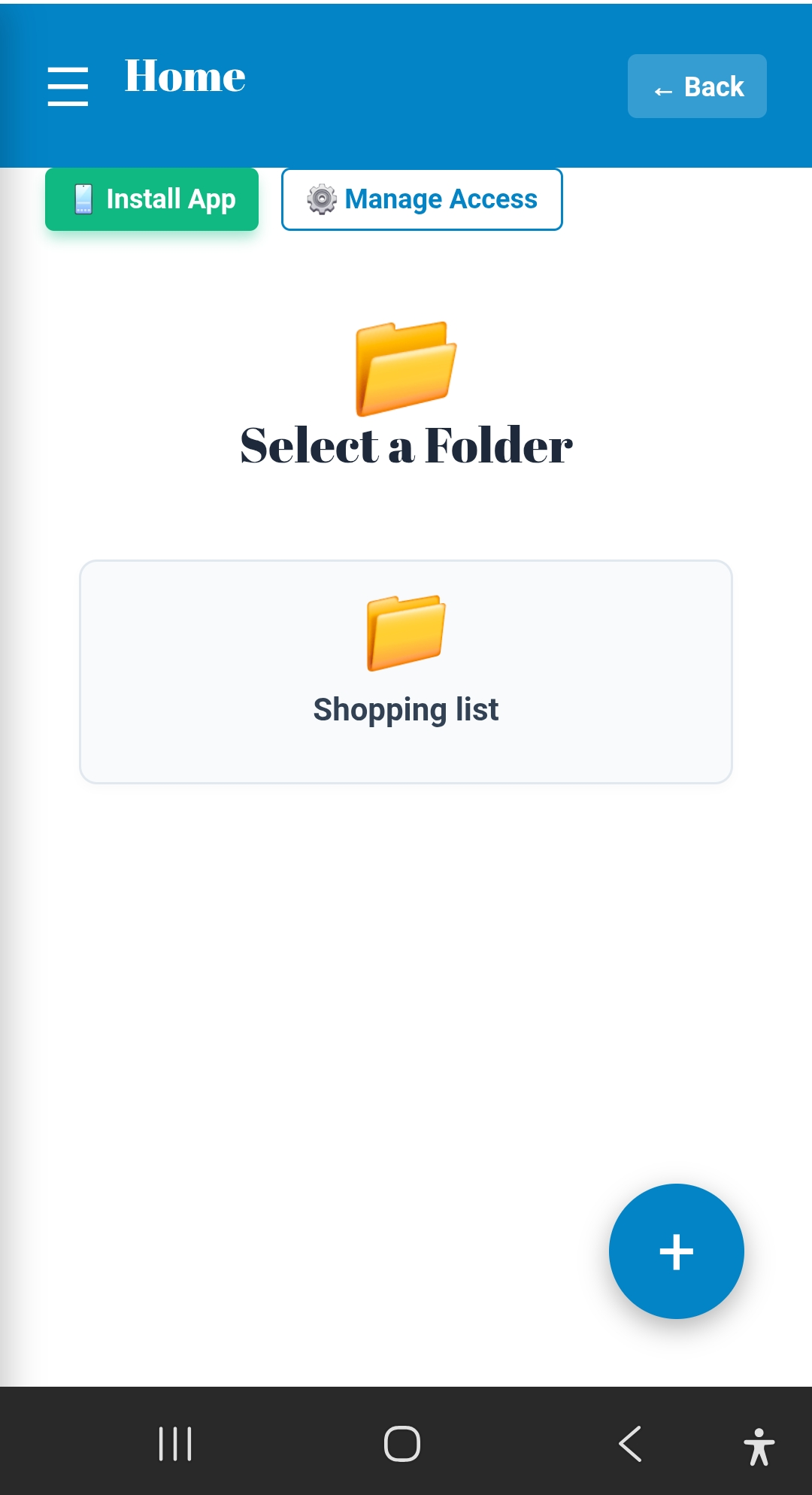
Progressive Web App (PWA): The notebook provides a modern, native app feel and can be installed as a PWA on mobile devices
. When opened on a mobile device, it displays an edge-to-edge interface by stripping away WordPress theme headers and footers . -
Flexible Views: The app includes flexible UI designs like a tile-based layout or a collapsible list view to present information in an easily digestible format depending on user preference
.
Workspace Management
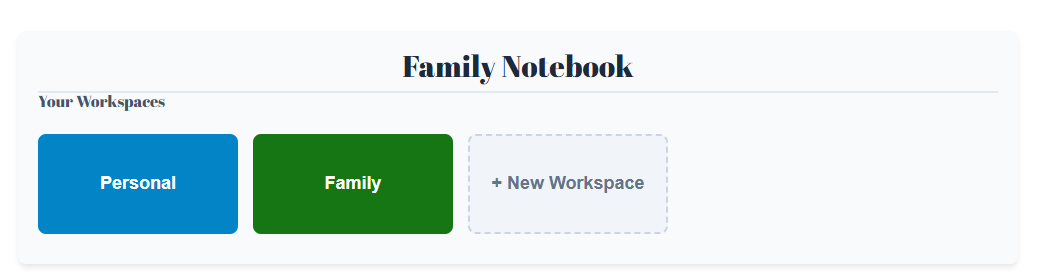
Instead of restricting users to a single family database, the plugin utilizes distinct "Workspaces"
-
Workspace Switcher: Users can seamlessly belong to multiple workspaces, such as a private "Smith Family" hub and a broader "Grace Community Church" group, toggling between them using a built-in workspace switcher
. -
Color Customization: Owners can customize each workspace with a distinct theme color to provide instant visual feedback and prevent users from confusing personal notes with community lists
. -
Smart Contrast: The application dynamically calculates accessibility contrast, automatically adjusting text colors (dark or light) so they remain highly readable against the custom background colors
.
Notebook Organization
-
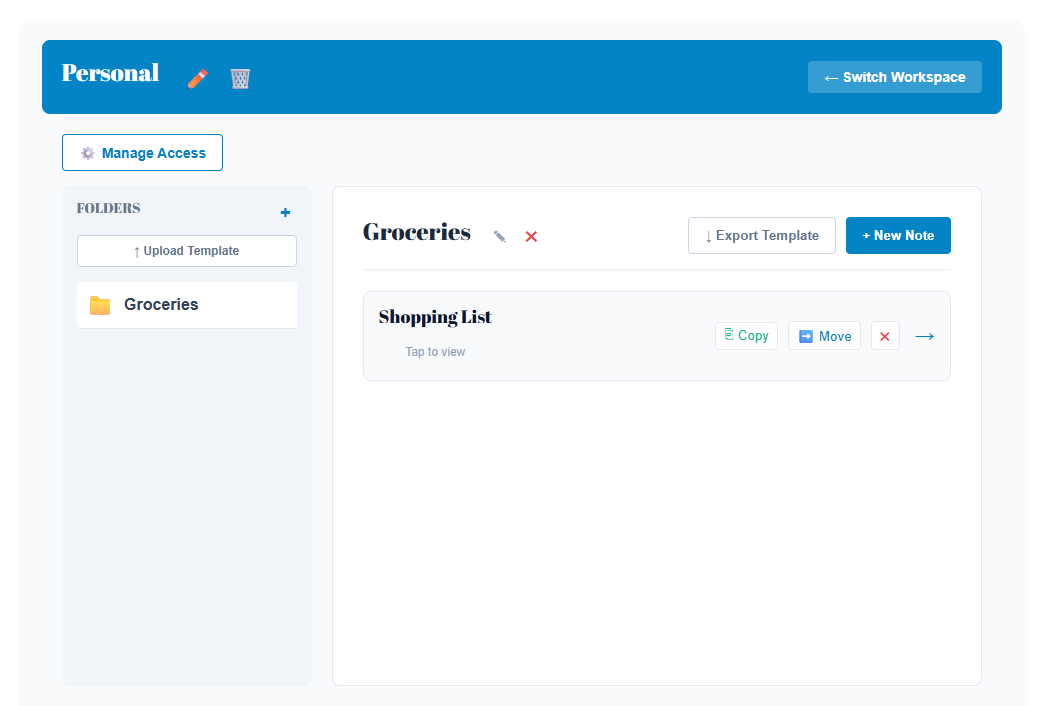
Folders and Notes: The architecture mimics a digital notebook, utilizing folders as top-level containers and individual notes nested within them
. -
Sortable Tabs: Notes can be sub-categorized using tabs (pages), which can easily be reordered left or right by the user
. -
Reorganization: Reorganizing information is simple. Users can copy or move entire notes between different folders via a dedicated "Move/Copy" modal interface
.
Modular Content Blocks
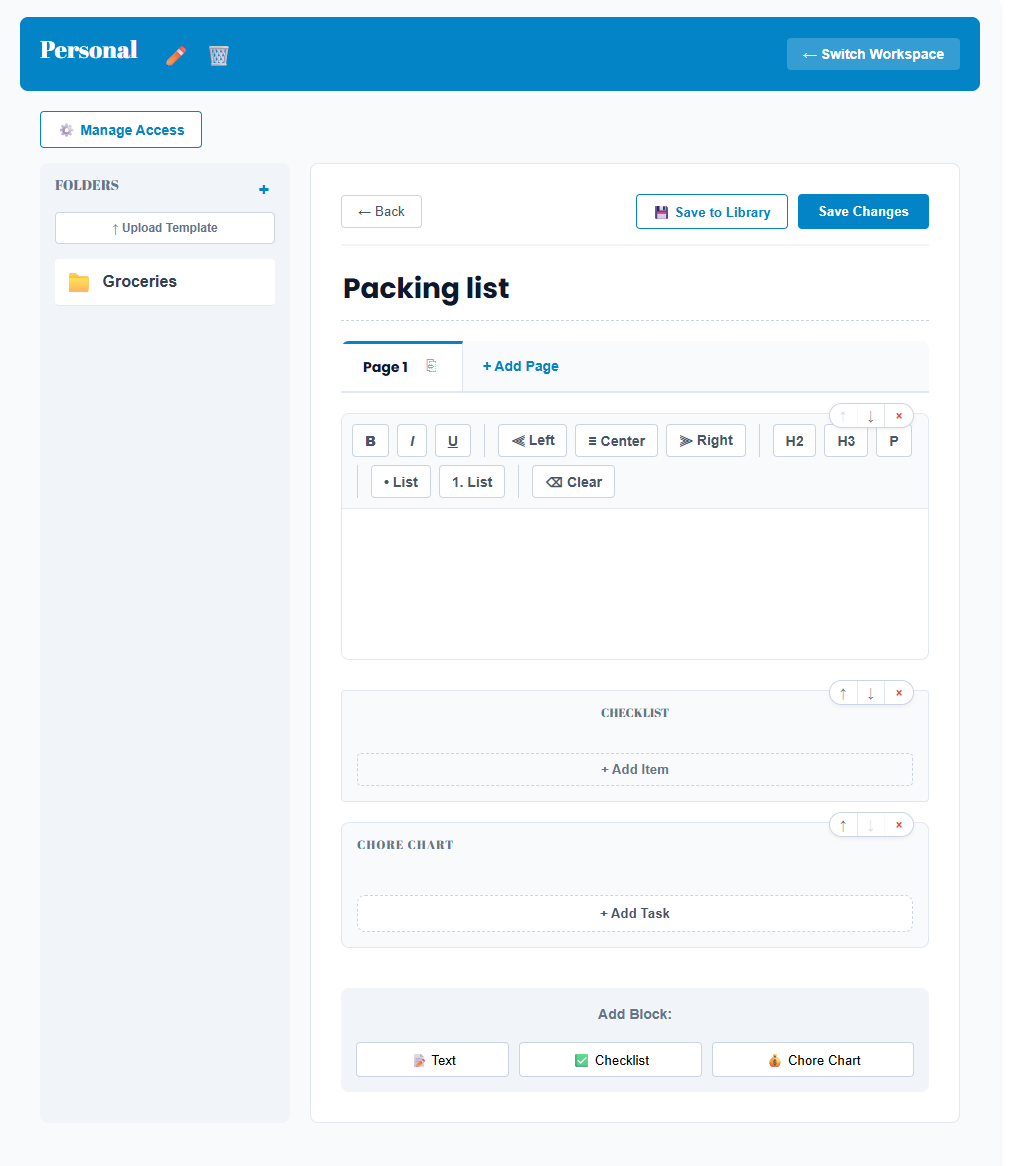
Notes support flexible content "blocks" rather than just standard text, tailoring the format to the specific type of information being shared
-
Rich Text (Paragraph): A standard editor perfect for journaling or leaving long-form instructions
. -
Interactive Checklists: Ideal for groceries and packing. Items are automatically crossed out when clicked, making it easy to track task completion
. -
Chore Charts: A gamified, weekly chore tracking block with status management, allowing families to assign and track chores for specific children
.
Granular Roles and Permissions
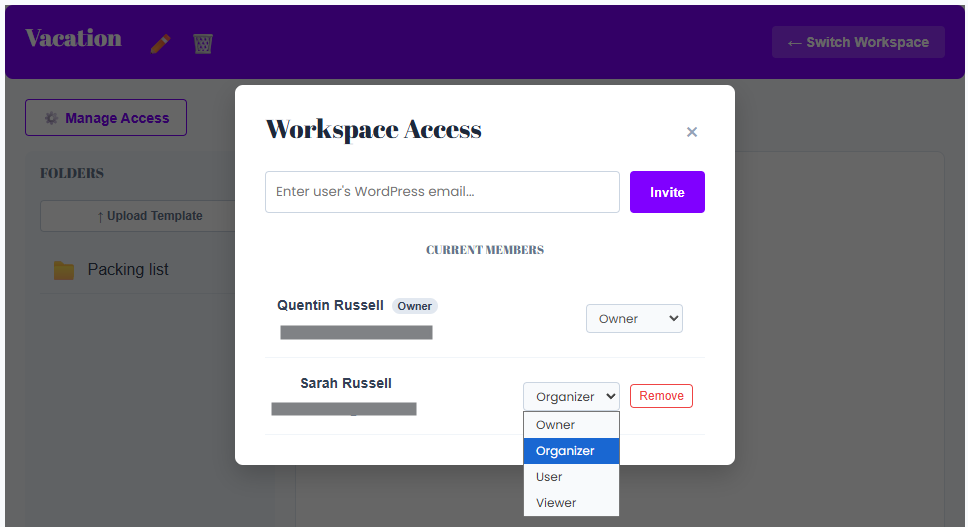
The app enforces a strict role-based access control system to securely manage data
-
Owner: Has full control to delete the workspace, invite or remove members, and assign access roles
. -
Organizer: Can create new notebooks, define global tags, delete pages, and manage master templates
. -
User: Can view, edit, and create individual notes, but cannot create top-level parent notebooks
. -
Viewer: Has secure, read-only access
. The system employs a "Context-Aware UI" that intelligently hides the "Edit," "Delete," and "Add" buttons for Viewers, leaving a clean, clutter-free document that prevents accidental edits .
Seamless Member Onboarding
-
Magic Invite Links: Workspace owners can invite completely unregistered users by simply entering their email address
. The system automatically emails them a special registration link containing a unique 8-character join_code. -
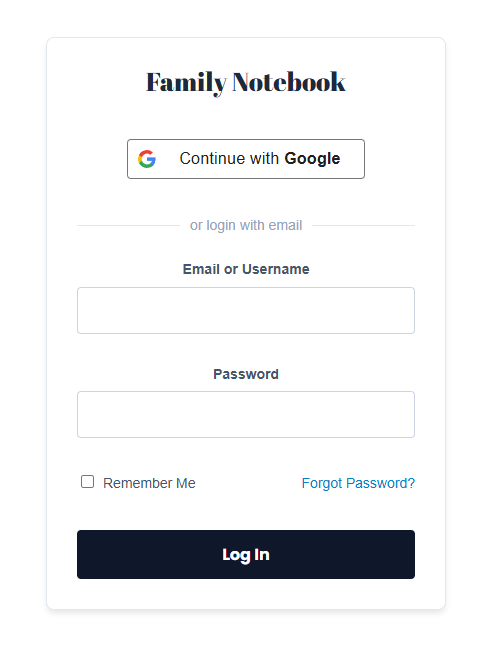
Frictionless Registration: When invitees click the link, they can easily create a "cloaked" WordPress account (such as utilizing a Google Login integration) and are instantly dropped directly into the correct shared workspace upon logging in
.
Templates and Data Portability
-
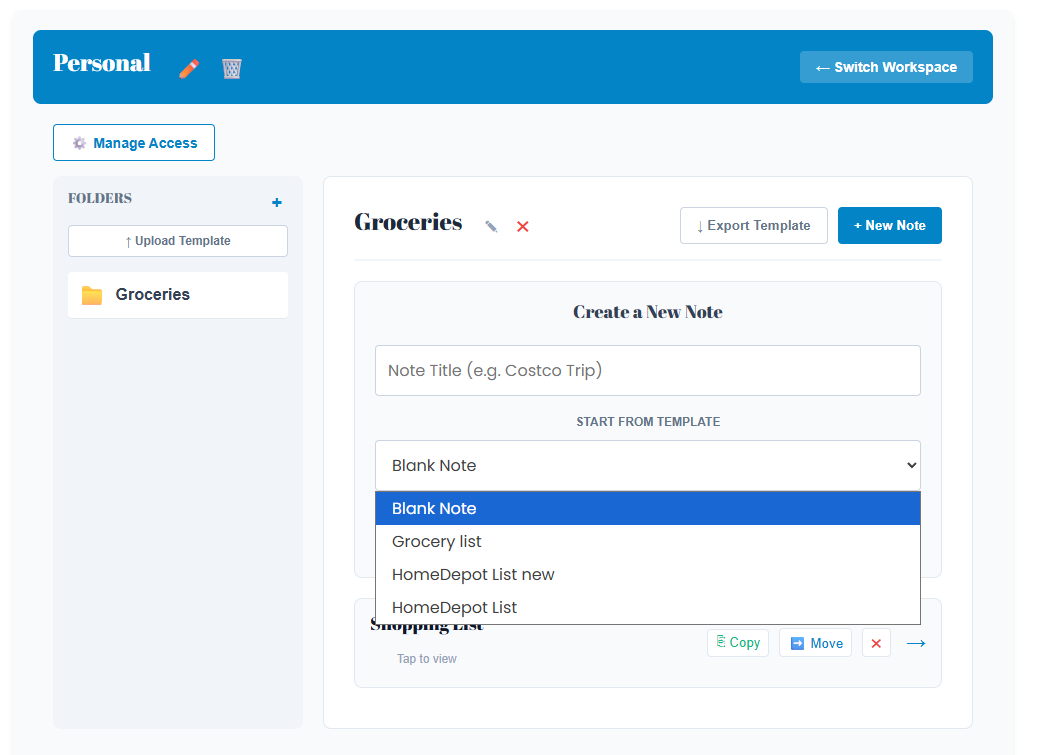
Template Library: Users can save complex folder structures and note layouts as templates
. These can be assigned globally for all users on the site or scoped specifically to a single workspace . -
Starter Kits: Administrators can designate a master "Starter Kit Workspace" from the backend. When new families onboard, they automatically receive this pre-populated structure
. -
Export/Import Engine: The system features a full JSON backup tool. Users can export folders or entire workspaces as
.jsonfiles and import them elsewhere. -
Smart Data Migration: During a data restore, the plugin dynamically re-links imported notes and workspaces to existing WordPress users by matching their email addresses
.
Templates and Data Portability
-
Template Library: Users can save complex folder structures and note layouts as templates
. These can be assigned globally for all users on the site or scoped specifically to a single workspace . -
Starter Kits: Administrators can designate a master "Starter Kit Workspace" from the backend. When new families onboard, they automatically receive this pre-populated structure
. -
Export/Import Engine: The system features a full JSON backup tool. Users can export folders or entire workspaces as
.jsonfiles and import them elsewhere. -
Smart Data Migration: During a data restore, the plugin dynamically re-links imported notes and workspaces to existing WordPress users by matching their email addresses
.
Templates and Data Portability
-
Template Library: Users can save complex folder structures and note layouts as templates
. These can be assigned globally for all users on the site or scoped specifically to a single workspace . -
Starter Kits: Administrators can designate a master "Starter Kit Workspace" from the backend. When new families onboard, they automatically receive this pre-populated structure
. -
Export/Import Engine: The system features a full JSON backup tool. Users can export folders or entire workspaces as
.jsonfiles and import them elsewhere. -
Smart Data Migration: During a data restore, the plugin dynamically re-links imported notes and workspaces to existing WordPress users by matching their email addresses
.
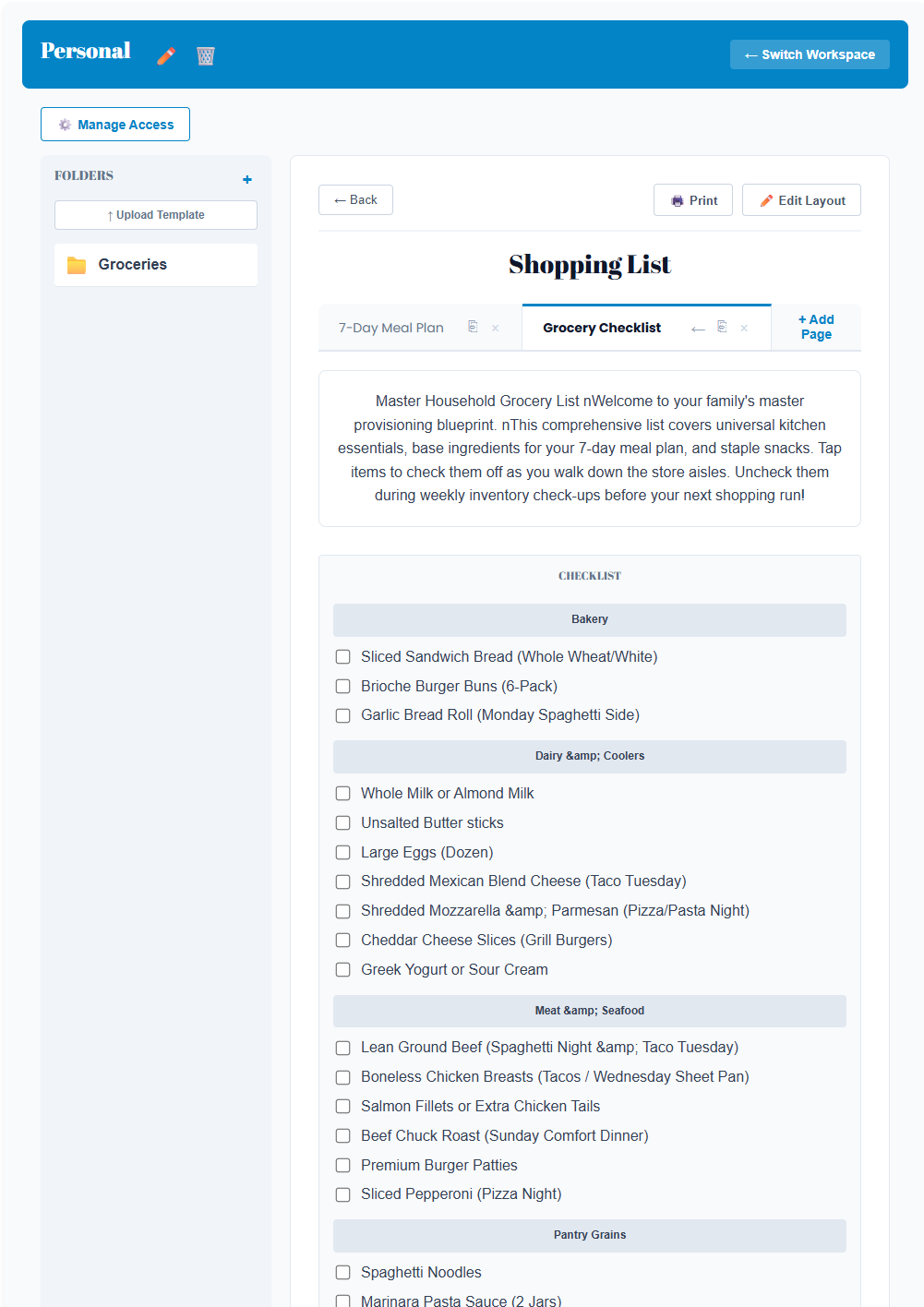
In the Family Notebook app, the self-sorting list feature is powered by the ChecklistBlock component, which is specifically designed to dynamically group items by their category
Here is how the self-sorting feature works:
-
Assigning Categories: When adding items to a checklist (such as adding "Bananas" or "Apples" to a grocery list), you can assign each individual item to a specific category, like "Produce"
. -
Automatic Sorting: Once categories are assigned, the plugin's logic automatically self-sorts the items on the screen
. All items that share the same category will be grouped and displayed together . -
Practical Organization: This automatic sorting keeps lists highly organized—such as grouping a grocery list by store aisle—without requiring users to manually drag and drop or reorganize the checklist
.
Additionally, if you use pre-built templates (like the "Starter Kit" grocery list), the checklist items come with pre-filled sorting labels
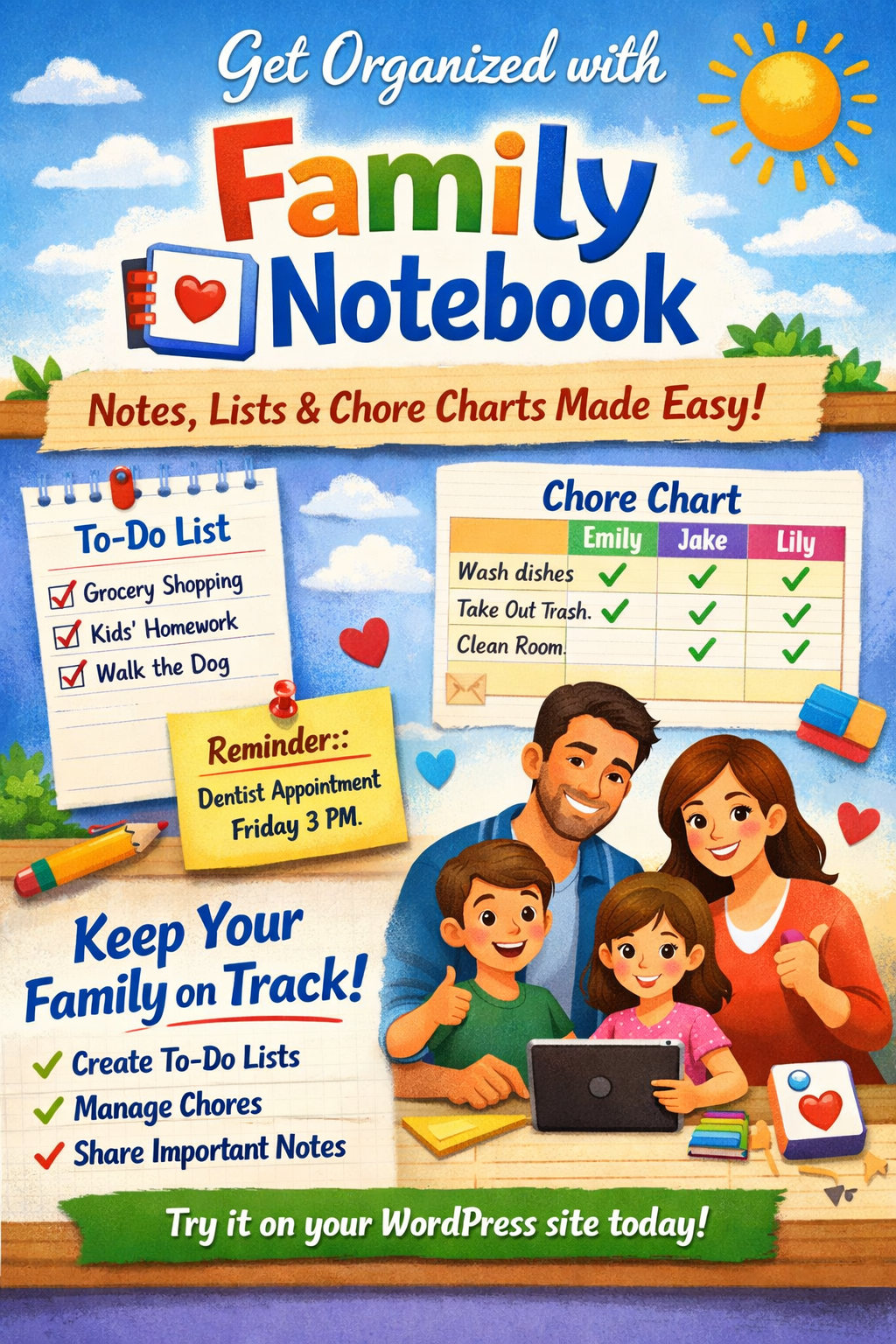
🏡 Family Notebook — Simplify Your Family’s Day-to-Day
Bring harmony to your household with Family Notebook, the all-in-one WordPress plugin for families who love staying organized. Create shared notes, to-do lists, and chore charts that keep everyone on track — from grocery reminders to weekly responsibilities.
With its clean, intuitive interface, Family Notebook makes it easy to:
-
✏️ Write and share notes across your family site
-
✅ Build interactive lists and check off tasks together
-
🧹 Assign chores and track progress for each family member
Whether you’re managing a busy home or teaching kids responsibility, Family Notebook turns your WordPress site into a digital command center for family life.
Try Family Notebook today — and make organization a family affair!